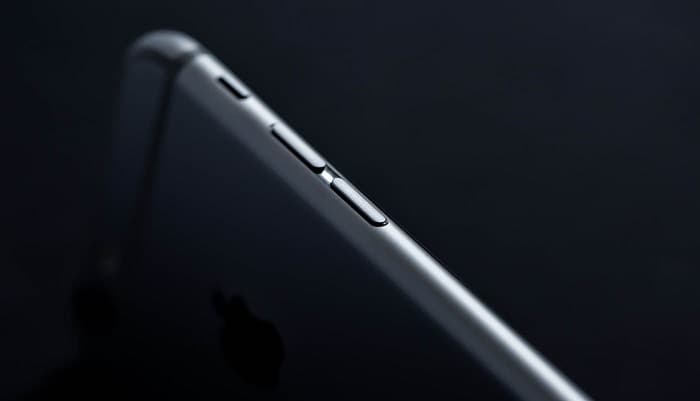
Maximum iPhone has 4 physical buttons and 1 switch to ensure maximum accessibility to its users.
The buttons and the switches are:
- Volume Up (+) button
- Volume down (-) button
- Ringer Switch
- Power Button
- Home button
The newer iPhone models have discontinued the Home button, which used to serve both the purpose of a home button and a fingerprint sensor. Apple has discontinued Home Buttons since the iPhone X models and has continued on the same policy till later. The most common issues faced regarding the buttons of iPhone are: The Sound doesn’t increase/decrease when I press the volume up or down key. The buttons are stuck and can’t be pressed The switch doesn’t work/automatically switches between ringer and silent mode Home button doesn’t work/unlock the phone. These are the most common issues regarding the physical buttons in the smartphone. However, Apple recommends restarting the device and updating the iOS in this case. And if it still does not fix the issues, it needs to be getting looked at by professionals. iPhone recommends using Assistive touch for the longevity of the physical buttons of the iPhone. Here at Repair Zone, we have dedicated and experienced technicians who are familiar with iPhone problems and excel in resolving them.
Repair Zone is located I service points across Dhaka, Bangladesh. We offer quick service for your ease of access. We also offer a 30-days service warranty on applicable services. We do not compromise with our quality therefore we use genuine Apple accessories to replace and repair your iPhone problems. So visit your nearest Repair Zone service point today, and get your physical button issues of iPhone.